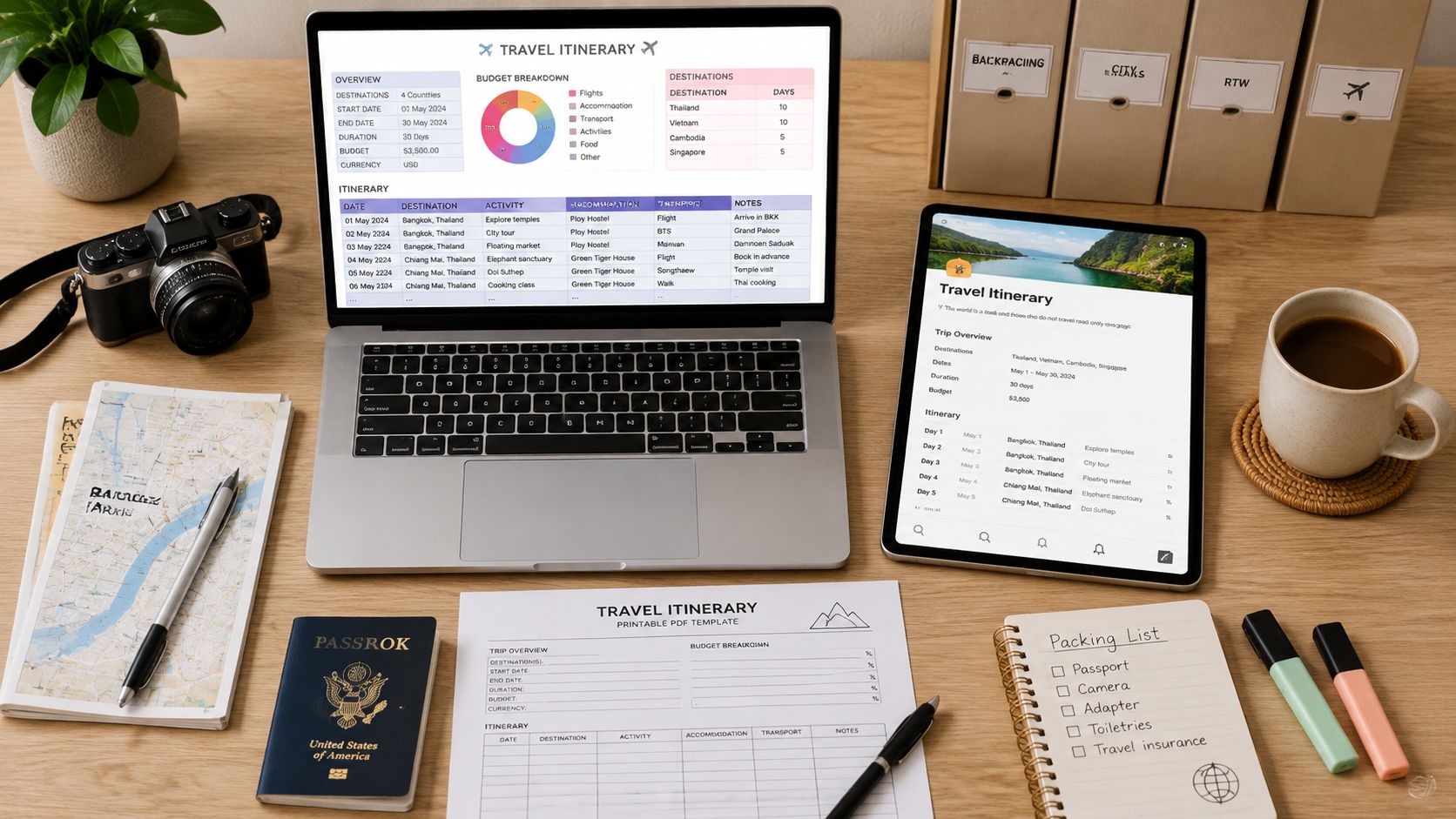
Your inbox is already doing too much. Flight confirmations live in one thread, hotel details in another, and that one train booking you swear you saved is buried somewhere in your photos. A good travel itinerary template fixes that mess fast, and it does more than keep dates in order. It gives your trip a working system, one that can hold reservations, budgets, transit, and the small decisions that keep a journey calm instead of chaotic.
The best part is that the right template depends on the kind of trip you're taking. A round-the-world route needs something very different from a long weekend in Lisbon or a business trip with meetings stacked back to back. Travel itinerary templates have evolved with the tools people use, from spreadsheet planning rooted in the rise of Excel in 1985 and Google Sheets in 2006 to cloud documents that can be shared, edited, and carried on a phone as one template guide notes. That history matters because modern travel planning isn't just about making a pretty schedule, it's about building something flexible enough for real travel.
The strongest templates today don't just list destinations. They help you manage timing, cost control, and reservation tracking in one place, which is exactly what makes them useful for complex trips. They also reflect the way travelers plan now, with multi-tab structures for routes, budgets, bookings, and checklists as described in current template guides. If you want a travel planner that feels like a friend, not a spreadsheet prison, start with the template style that matches your trip, not the one with the flashiest layout.
1. Notion for trips that need one living hub
Notion works best when your trip has a lot of moving pieces and you want them in one place. It handles itineraries, packing lists, budgets, vendor links, research notes, and saved inspiration without forcing you into a rigid layout. That makes it especially good for multi-city travel, long stays, and travelers who like to keep ideas, bookings, and references together.
Notion's travel planner gallery leans into that flexibility. You can build linked databases for days, activities, and reservations, then switch between calendar, board, and list views depending on how you think. The mobile app and page sharing make it practical on the road, and the community template marketplace gives you a shortcut when you don't want to start from scratch.
Where Notion shines and where it slows you down
The upside is obvious once a trip gets complicated. You can keep restaurant notes, museum tickets, airport transfers, and neighborhood ideas in one searchable workspace instead of scattered files. It's also a strong choice if you like to duplicate a master trip page and adapt it for each new journey.
The trade-off is setup. Relations between databases take a little patience, and if you want a polished printable export, you'll probably need to adjust the styling. That's the cost of power. If your trip is a web of reservations, optional day trips, and research links, Notion is one of the most complete travel itinerary templates you can use.
Practical rule: Use Notion when the trip has enough complexity that a static document starts breaking down.
2. Coda for itineraries that need to stay alive
Coda is the right pick when you want your itinerary to behave more like a system than a page. Its travel gallery includes community-made docs and building blocks for reusable planning, which is useful if you build trips often or prefer a document that changes with the trip instead of freezing it on export. The result feels especially strong for people who like structure but don't want a heavy project-management tool.
The Coda travel gallery supports tables, filters, buttons, and mobile-friendly views, so it can handle a trip plan with layers. Packs for maps, weather, flights, and other integrations push it further, which is why it's so useful for travelers who want live context near the plan itself. If you're planning a road trip, a repeat client itinerary, or a trip with lots of moving parts, that mix of automation and editing room is hard to beat.
Best for repeat planners and data-heavy trips
Coda is strongest when you need reuse. You can duplicate a core template for every trip, keep versions separate, and refine the structure as your process gets better. That saves time if you travel often or manage trips for other people.
The weakness is setup time. A simple PDF is faster, and even a plain note app is easier on day one. But Coda earns its place when you want live data, permissions, and a document that can evolve with the trip instead of getting abandoned after booking. For travelers who love systems, it's one of the smartest travel itinerary templates available.
A living itinerary works best when the data matters as much as the design.
3. Smartsheet for familiar, format-agnostic planning
Smartsheet works well when you want a trip plan you can grab, fill out, and use without a learning curve. Its itinerary template collection includes Excel, Word, Google Docs, and PDF options, so it fits trips where one person wants a spreadsheet, another wants a document, and someone else just wants a printable copy. That kind of flexibility makes it a steady choice for business travel, family trips, and any itinerary you may need to hand off or carry with you.
The format variety matters because different parts of a trip need different kinds of handling. A spreadsheet is better for timing, expenses, and tracking moving pieces, while a Word or PDF version is easier to share with a travel partner or keep in a bag for reference. The templates also give you a ready-made structure for dates, destinations, transport, lodging, reservation numbers, budget estimates, emergency contacts, and backup plans, so you are not building the whole layout yourself. For travelers who prefer a template that feels familiar from the start, that saves time and reduces friction.
Why it suits practical travelers
Smartsheet is built for dependable organization, not visual polish. If you want a clean layout that is easy to read and quick to complete, it gets that part right. It also works well for travelers who print their itinerary and still want it to make sense at a glance.
The trade-off is collaboration. Static files are straightforward, but they do not update themselves or support shared editing as smoothly unless you move them into a cloud editor. That makes Smartsheet less interactive than Notion or Coda, but faster to use than building a custom system from scratch. For travelers who care more about structure, portability, and easy downloads than about fancy presentation, it is one of the most practical travel itinerary templates available.
4. Vertex42 for the spreadsheet traveler who wants speed
Vertex42 feels like the kind of template you keep coming back to because it works. Its Excel and Word travel itinerary layouts are built for quick entry, clear time blocks, locations, and contact info, which makes them a strong fit for travelers who want a clean printable plan without extra decoration. If your instinct is to organize a trip in columns, this one will feel natural immediately.
The best use case is a trip that needs clarity more than creativity. You can duplicate the file, fill in the day's schedule, add confirmation details, and print it without much fuss. The structure suits travelers who keep a budget spreadsheet nearby and want their itinerary to stay aligned with real-world timing. A companion budget tool can help keep the money side just as organized, and if you're pairing planning with costs, this budget calculator fits that workflow well.
Why it still holds up
Vertex42 is lightweight, and that's the point. It doesn't ask you to learn a new system or build relationships between databases. It gives you a familiar file that can be customized quickly for each trip.
The trade-off is obvious. You won't get the collaboration depth of a cloud workspace or the design polish of a visual builder. But for a lot of travelers, especially those who want a no-drama itinerary they can duplicate and print, that's a feature, not a flaw. It remains one of the best travel itinerary templates for people who think in spreadsheets and want a plan they can trust at a glance.
5. Canva for polished itineraries that people actually open
Canva is the best choice when the itinerary has to look good as well as work well. It's ideal for trip documents you plan to share with friends, clients, followers, or travel companions who appreciate a clean visual layout. Day plans, multi-day schedules, packing lists, and simple budgets all look sharp in Canva because the editor is built around design first.
The Canva homepage gives you access to a huge template library, and the drag-and-drop workflow makes it easy to turn a rough plan into a polished PDF or shareable link. You can set brand colors and typography, drop in photos and icons, and export a travel document that feels intentional instead of assembled in a rush. If you create content, run client trips, or just like a beautiful travel record, that matters.
When design helps the trip
A visually clean itinerary gets used more often. People are more likely to open a document that looks easy to read, especially when it contains clickable links and a clear daily structure. That's why Canva works so well for influencer-style planning and for trips where presentation is part of the experience.
The limitation is that it's not a database. If your trip includes shifting bookings, rolling costs, or lots of conditional details, Canva starts to feel manual. It's a design tool, not a travel operations hub. For travelers who want elegance, speed, and shareability, though, it's one of the strongest travel itinerary templates you can choose.
For travelers who also care about capturing the trip well, pair your planning with these travel photography techniques so the plan and the memories support each other.
6. Adobe Express for fast, professional-looking trip documents
Adobe Express is the right answer when you want a clean itinerary without spending an afternoon wrestling with layout. Its guided itinerary creation tools are built for professional-looking outputs, and the templates are sized for both print and mobile use. That makes it especially helpful for anyone who wants a polished document quickly, whether it's for a tour group, a client trip, or a personal journey that still deserves visual polish.
The Adobe Express itinerary tool keeps the process simple. You get theme suggestions, font and image pairing help, one-click resizing, and brand kit support, all of which make it easier to create a repeatable travel document. Exporting to PDF or image format is straightforward, so the final result can live on a phone or get printed for backup.
The sweet spot is speed plus presentation
Adobe Express is strong when the itinerary has to look professional without becoming complicated. It's better for tidy day plans and client-ready documents than for deep planning systems with multiple linked datasets. That makes it a strong fit for travelers who care about fast output and clean branding.
The downside is that it doesn't give you the spreadsheet-style control some travelers need for budgeting or rollups. A trip with lots of moving parts may feel cramped here. But if you want your plan to look sharp, be easy to share, and stay simple to edit, Adobe Express belongs near the top of the travel itinerary templates list.
7. Trello for travelers who plan in cards, not columns
Trello fits the traveler who likes to see a trip as a set of movable pieces. Its boards, cards, checklists, and attachments make it easy to organize reservations, tasks, packing, and day-by-day plans without forcing everything into a strict document. That's especially useful when multiple people are helping plan, because each person can own cards and update them as things change.
The Trello travel space includes template boards from the community, plus calendar and due-date views that help you track timing. Mobile access matters here too, because cards can be checked offline and updated on the move. Power-Ups and automations add more structure when the trip needs reminders or recurring actions.
Best for shared planning and task ownership
Trello shines when planning is collaborative. If one person handles flights, another owns lodging, and someone else tracks local activities, the board format keeps responsibilities visible. It's also flexible enough for road trips, city breaks, and long-haul travel.
The weak point is precision. Trello is not built for minute-by-minute itineraries, and it can get cluttered if your lists aren't disciplined. Keep the board conventions simple or it becomes visual noise. For flexible, shared, task-heavy planning, though, it's one of the most practical travel itinerary templates you can use.
If you like keeping all your travel tools in sync, these best travel apps pair well with a Trello board and help reduce the odds of losing track of a booking on the road.
8. Asana for group trips that need accountability
Asana works best when a trip has real ownership attached to it. Its Travel Planner template organizes logistics, day-by-day plans, bookings, and packing into assignable tasks, which makes it useful for business travel, group travel, and any trip where more than one person is responsible for getting things done. It feels less like a personal notebook and more like a shared operations hub.
The Asana travel planner gives you Calendar, Timeline, and Board views, plus task assignments, due dates, and comments. That means you can map what needs to happen before departure and also see the trip itself in a structured way. For teams, that visibility is valuable because it reduces the guesswork around who booked what and when.
Strong on coordination, weaker on presentation
Asana is excellent for accountability. If somebody forgets to confirm a transfer or upload a ticket, the task remains visible, assigned, and time-bound. That's a big deal for family trips, corporate travel, and multi-step itineraries where one missed detail creates a domino effect.
The downside is that it feels like project management, because it is. The outputs are useful, but they aren't designed as beautiful PDFs. If you care more about assignment clarity than design, Asana is a strong choice. For collaborative, responsibility-heavy travel, it earns its spot among the best travel itinerary templates.
For travelers balancing logistics with the rest of the trip, this trip planning checklist helps keep the pre-departure chaos under control.
9. monday.com for itinerary dashboards that behave like operations boards
monday.com is the template for travelers who want everything visible at once. It's especially useful for business travel or multi-stakeholder trips where hotels, meetings, transport, and status updates all need to live in the same system. The result is less like a simple itinerary and more like a travel dashboard.
The monday.com itinerary template lets you add custom fields for dates, times, locations, and status. Board views, calendar and timeline layouts, automations, notifications, integrations, and file attachments give it a lot of structure. That makes it useful when travel planning overlaps with approvals, schedules, or recurring changes.
When you need a living schedule
This is the template for teams that can't afford to treat the itinerary as a passive document. If a flight changes, a meeting shifts, or a confirmation needs updating, the system can reflect that in the plan itself. It's built for workstreams as much as travel.
The drawback is cost and complexity. For a simple weekend trip, monday.com can feel like using a cargo ship to cross a river. But for planners who need dashboards, alerts, and structured workflows, it's one of the strongest travel itinerary templates available.
10. Evernote for lightweight plans that stay searchable
Evernote is a good fit for travelers who want less structure and more portability. Its travel plan template keeps the important stuff in one note, with sections for logistics and to-dos, while letting you clip web pages, save confirmations, and attach PDFs, tickets, and photos. It's especially handy if you already organize life in notes instead of boards or spreadsheets.
The appeal is speed. You can make a trip note quickly, add your reservations, and keep research alongside the plan without building a whole system. For travelers who want something simple and searchable on mobile, that's enough.
Best when you want notes, not a framework
Evernote works well for people who value a quick reference more than a complex planning environment. It's also useful as a backup home for PDFs and ticket screenshots, especially when you want everything tied to a search bar instead of spread across apps. For light trip planning, that simplicity is hard to beat.
Its limitation is depth. A note can hold a lot, but it won't organize a long, multi-layered itinerary as cleanly as a database or project board. Still, for travelers who want a light, reliable companion, Evernote remains one of the easiest travel itinerary templates to live with.
If you want a fuller pre-trip system around that note, this travel planning checklist helps you cover the details before you go.
Travel Itinerary Template Comparison
| Tool | Core features ✨ | Ease & quality ★ | Value/Price 💰 | Best for 👥 | Standout 🏆 |
|---|---|---|---|---|---|
| Notion | ✨ Linked databases, multi-view (calendar/board/list), offline pages | ★★★★☆ | 💰 Free tier; paid for advanced team features | 👥 Power users, multi-city planners | 🏆 All‑in‑one customizable trip hub |
| Coda | ✨ Tables, Packs (maps/weather/flights), buttons & automations | ★★★★☆ | 💰 Free basics; some Packs/features require paid plan | 👥 Automation-minded travelers, repeat trips | 🏆 Live data & reusable trip docs |
| Smartsheet | ✨ Downloadable Excel/Word/PDF itinerary templates, printable layouts | ★★★☆☆ | 💰 Free format-agnostic templates | 👥 Spreadsheet users, business travel | 🏆 Structured, print-ready templates |
| Vertex42 | ✨ Excel/Word templates with day/time blocks, print-optimized | ★★★★☆ | 💰 Free, lightweight downloads | 👥 Quick printable itineraries, Excel fans | 🏆 Trusted, easy-to-customize spreadsheets |
| Canva | ✨ Drag‑and‑drop templates, brand kit, export clickable PDFs | ★★★★★ | 💰 Free; Pro for brand assets & premium elements | 👥 Influencers, client-facing itineraries | 🏆 Fast, high‑design shareable outputs |
| Adobe Express | ✨ Guided itinerary themes, one‑click resize, brand support | ★★★★☆ | 💰 Free tier; premium assets behind paywall | 👥 Designers & client-ready docs | 🏆 Professional design with simple workflow |
| Trello | ✨ Kanban boards, cards/checklists, Power‑Ups & calendar | ★★★★☆ | 💰 Free core; Power‑Ups/Business plans for advanced | 👥 Groups, travel companions | 🏆 Flexible collaboration & delegation |
| Asana | ✨ Tasks, assignees, Timeline/Calendar views, sections | ★★★★☆ | 💰 Free tier; premium for advanced timelines | 👥 Group/business travel with roles | 🏆 Clear accountability & task visibility |
| monday.com | ✨ Custom fields, automations, dashboards & integrations | ★★★★☆ | 💰 Paid plans needed for most features | 👥 Teams, multi‑stakeholder/business trips | 🏆 Dashboards & automations for complex trips |
| Evernote | ✨ Travel note template, web clipper, attachments, offline sync | ★★★★☆ | 💰 Free; paid to lift device/sync limits | 👥 Note-centric solo travelers, researchers | 🏆 Searchable offline reference + saved confirmations |
Beyond the Template How to Make Your Itinerary Work for You
Choosing a template is only the starting point. The value comes from matching the tool to the way you travel, not the way a sample itinerary looks on a perfect day. A backpacker hopping between cities needs a different structure from a couple on a weekend getaway, and a solo traveler benefits from a layout that keeps safety details, offline access, and backup contacts easy to find.
The strongest itinerary plans also stay flexible. Travel behavior keeps shifting toward mobile-first planning, and the market data reflects that, since mobile devices held the largest revenue share in 2023 in one industry estimate about trip planner software according to that report. That's why the best templates today work well on a phone, not just on a laptop. They're quick to scan, easy to edit, and practical when you're standing in line at an airport gate or trying to change a train connection on the move.
A good itinerary also leaves room for the trip to breathe. A rigid minute-by-minute schedule can break under real-world delays, especially on complex or last-minute trips. A better approach is to keep fixed items, like arrivals, check-ins, and transport, in clear view while leaving space for flexible blocks, notes, and backups. That's where templates built for simple week overviews, clear departure and arrival times, and offline reference storage become more useful than over-designed planners.
The best planners also fit the way people search, book, and revisit information. Recent consumer survey data summarized by Oliver Wyman showed 41% of respondents in the U.S. and Canada had recently used generative AI for trip inspiration or itinerary planning, up from 34% in August 2023, and 82% of those recent users said they were likely or very likely to use it again in the report summary. That points to a simple truth, travelers want planning help that is concrete, usable, and bookable, not just pretty. The best templates support that by making room for real reservations, activity links, and notes you can act on quickly.
If you're choosing one today, start with the trip type, then choose the format. Go database-heavy for complex routes, go visual for shareable itineraries, and go simple for short breaks. A template should reduce mental load, not add another layer of work.
Travel Talk Today helps you plan trips that feel meaningful, affordable, and manageable, from budget frameworks to slow-travel guides and solo-travel confidence. If you're refining your own travel itinerary templates and want practical advice that fits real-world travel, visit Travel Talk Today for tools and ideas that make planning clearer and the journey better.